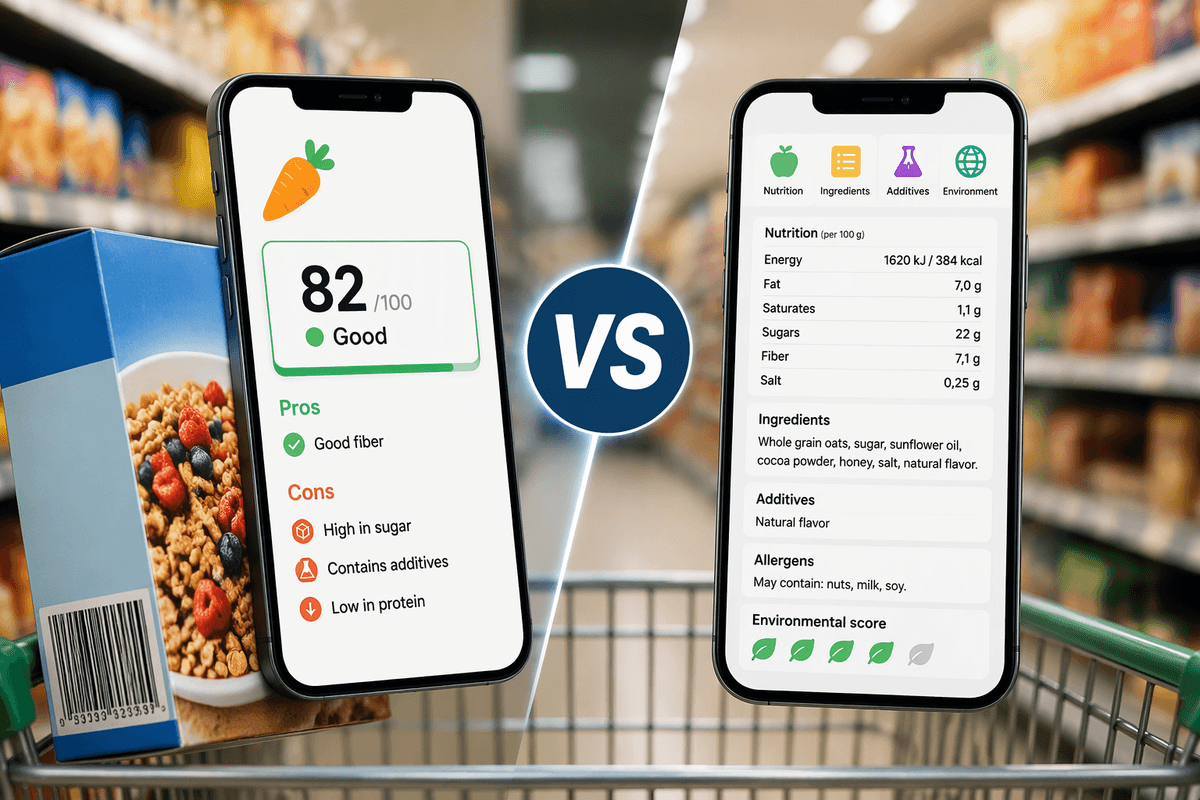
Two Apps, Different Ways to Check Food
Scanning a packaged food at the store can produce two very different experiences, depending on the app you use. Yuka is built for quick decisions: scan a barcode, receive a score, and see a short explanation of what helped or hurt the rating. Its design suits shoppers who want a simple signal while comparing several similar products.
Open Food Facts takes a broader approach. It may show nutrition details, ingredient information, processing indicators, allergens, environmental labels, and user-contributed data, often with more room to inspect the evidence behind a product profile. That added context can help careful shoppers, but it may also require more time and interpretation. Neither app removes the need to read packaging, since product records can be incomplete, outdated, or inconsistent across regions.
What Yuka Makes Easy at a Glance
For a shopper standing in a crowded aisle, Yuka’s main advantage is speed. The app turns a barcode scan into a prominent rating, usually paired with a few brief reasons for the result. A product can be marked as favorable, mediocre, or poor without requiring the shopper to compare every number on the nutrition panel. That makes it useful when choosing between similar cereals, snacks, sauces, or drinks under time pressure.
The summary also directs attention to specific concerns, such as high sugar, salt, saturated fat, additives, or limited nutritional value. In some cases, Yuka suggests a better-rated alternative, which can make the decision feel more practical than simply rejecting a product. The trade-off is that a single score compresses several judgments into one number. Shoppers may not immediately see how each factor was weighted, and the rating may not reflect personal priorities, serving size, dietary needs, or the full context of a product’s ingredients. Yuka is therefore strongest as a screening tool, not a complete explanation.
Where Open Food Facts Adds More Context
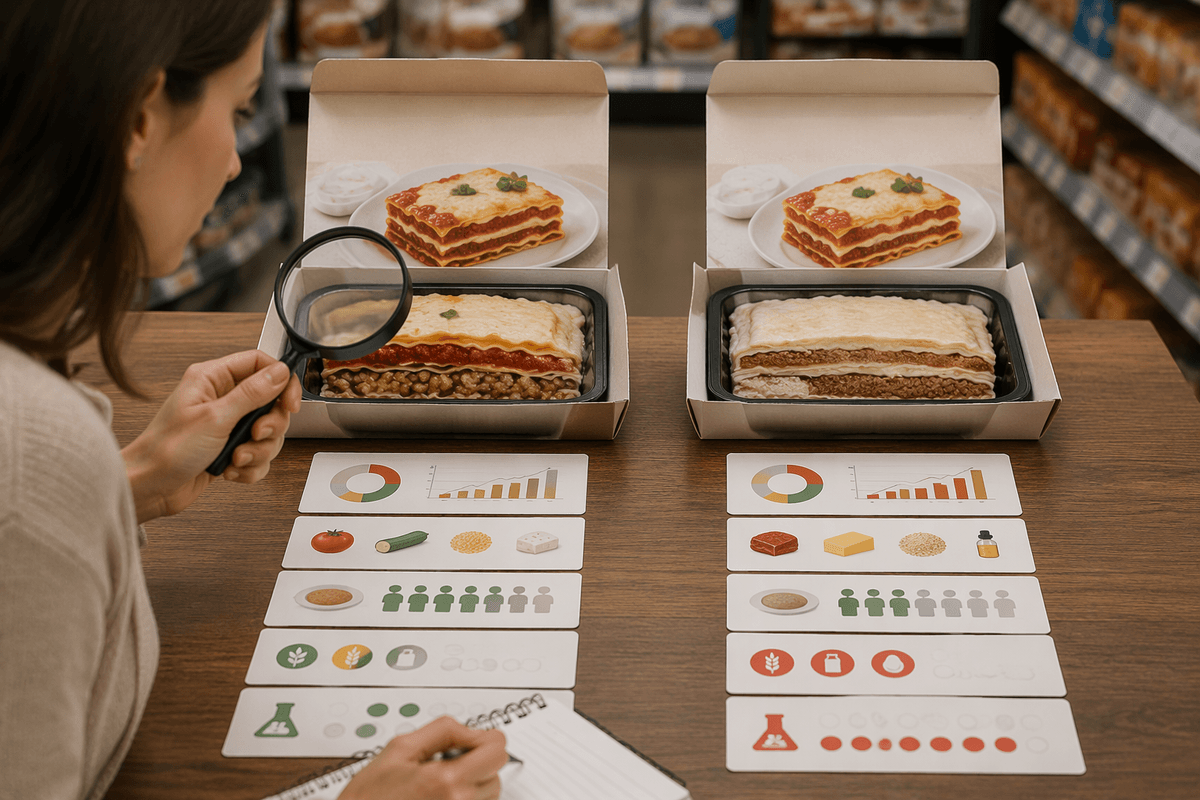
Open Food Facts is more useful when a quick score is not enough. A product page can place nutrition values, serving sizes, ingredients, allergens, additives, processing information, and environmental labels alongside one another. That makes it easier to investigate why two products receive similar impressions despite having different formulations, or why a product looks healthy until its serving size and ingredient list are examined closely.
Its community-built database can also reveal details that a simplified rating leaves out, including regional packaging differences and missing or uncertain fields. This transparency helps shoppers form their own judgment instead of accepting one overall result. It is especially valuable for people managing allergies, comparing levels of processing, checking specific additives, or tracking environmental information. However, more data creates more work. Product entries may depend on user submissions, some fields may be incomplete, and labels can be difficult to interpret without basic nutrition knowledge. Open Food Facts offers a wider evidence base, but the shopper remains responsible for deciding which details matter most.
Scores, Ingredients, and Data Are Not Equal
A useful rating is not necessarily the same as complete information. Yuka’s score is easier to act on because it applies a consistent framework across products, but consistency can create false precision. Two foods with similar scores may differ in ways that matter to a particular shopper, such as allergen risk, fiber content, serving size, or the presence of a specific additive. The score helps narrow the choice, yet it does not explain every trade-off equally well.
Open Food Facts exposes more of the underlying material, but greater detail does not automatically mean greater accuracy. Ingredient lists and nutrition panels usually come from product packaging, while other fields may be added by users, inferred from labels, or left incomplete. A product entry can therefore be informative without being fully current, especially after a recipe change or when the same brand sells different versions in different countries. Comparing apps also requires checking that they refer to the exact package size and formulation. The practical difference is clear: Yuka offers a faster interpretation of selected data, while Open Food Facts offers more data for shoppers willing to verify, compare, and draw their own conclusions.
Which App Works Better for Your Shopping Situation?

If you mainly need to choose quickly between similar products, Yuka is usually the more practical option. Its large rating and short explanation reduce the effort required during a busy shopping trip, especially when your goal is simply to avoid products high in sugar, salt, saturated fat, or certain additives. The limitation is that convenience can hide important differences. A shopper with an allergy, a specific dietary target, or a preference for minimally processed foods may need more detail than Yuka’s summary provides.
Open Food Facts fits better when the question is more specific: Does this product contain an allergen? How much fiber does it provide? Is the serving size misleading? Does the recipe differ from another regional version? Its broader information can support those comparisons, but it takes longer to interpret and may expose gaps that require checking the physical package. In practice, the best choice depends less on which app is universally “better” and more on the decision in front of you. Use Yuka when speed and a consistent first filter matter most; use Open Food Facts when transparency, customization, and closer verification matter more.
How to Use Both Without Outsourcing Judgment
A practical routine is to use Yuka first and Open Food Facts second. Scan the product with Yuka to get a quick sense of how it compares with nearby options, then open the broader product details if the choice involves a specific concern. Check the ingredient list for allergens or additives, review serving sizes and fiber, and confirm that the scanned package matches the one in your hand. This keeps the fast filter without treating the score as a final verdict.
Judgment still matters when the apps disagree with the package or with your priorities. A lower score may reflect an issue you consider minor, while a highly rated product may not suit your dietary needs or budget. Data can also be missing, delayed after a recipe change, or drawn from a different regional version. The most reliable habit is to use ratings to identify questions, not replace them. Let the apps narrow the field, then make the purchase decision from the label, your health requirements, and the role the food will play in your overall diet.
Choose the Tool That Matches Your Questions
The right app depends on the question you need answered at the shelf. If you want a fast comparison and a clear warning signal, Yuka is likely the better fit. If you need to investigate allergens, ingredients, processing, serving sizes, or environmental details, Open Food Facts provides more material to examine. Neither choice eliminates uncertainty: records can be incomplete, formulas can change, and a general rating may not match your health needs or budget.
For many shoppers, using both is the most practical approach. Let Yuka narrow the options, then use Open Food Facts and the package label to check the details that matter to you. The useful principle is simple: choose the tool that matches the decision, and treat every score as a starting point for judgment rather than a substitute for it.