Selling Used Stereos Starts With Accurate Assessment
Selling used stereo equipment successfully begins before the listing is written. An accurate assessment gives you a realistic price, helps potential buyers understand what they are purchasing, and reduces disputes after the sale. Start by identifying exactly what you have, including the brand, model, included accessories, and approximate age. Then examine its physical condition and verify whether it performs as intended. Scratches, missing parts, intermittent controls, and previous repairs can materially affect value, even when the equipment still works. Honest evaluation is not merely a precaution; it is the foundation for credible photos, a precise description, suitable packaging, and a fair transaction.
Identify the Stereo and Test Every Function
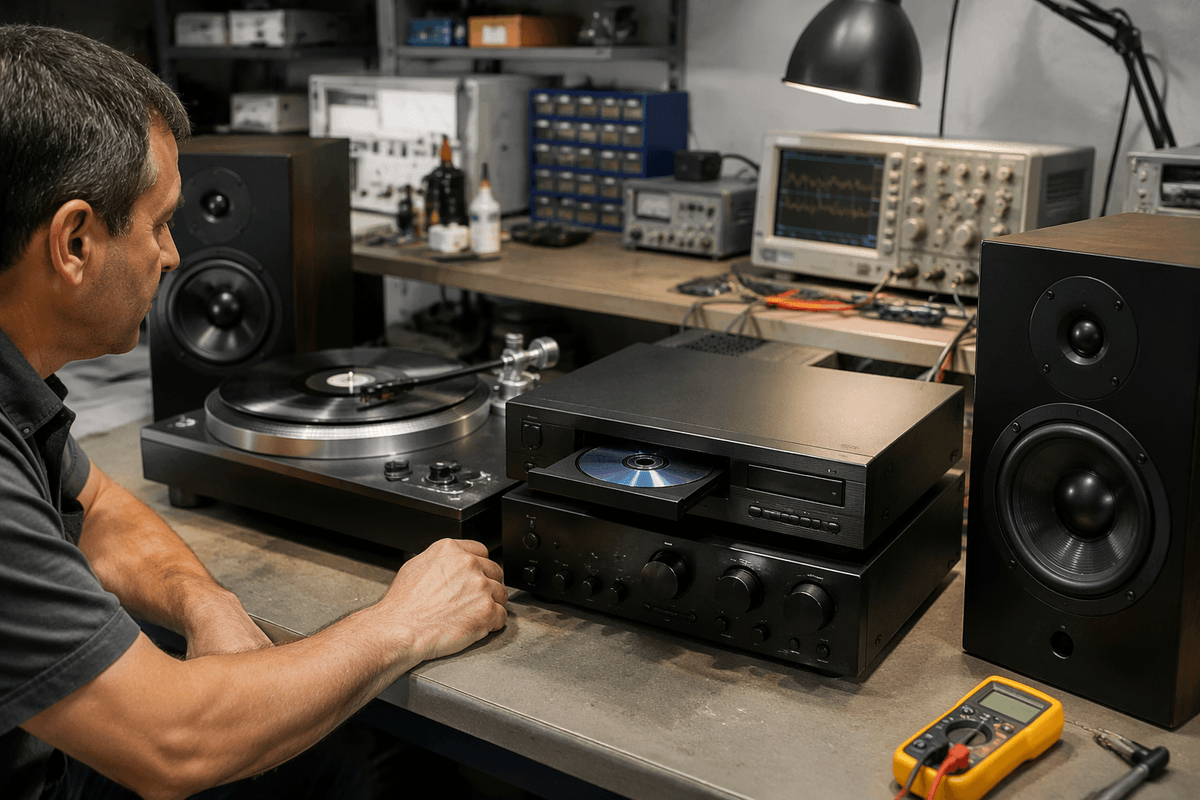
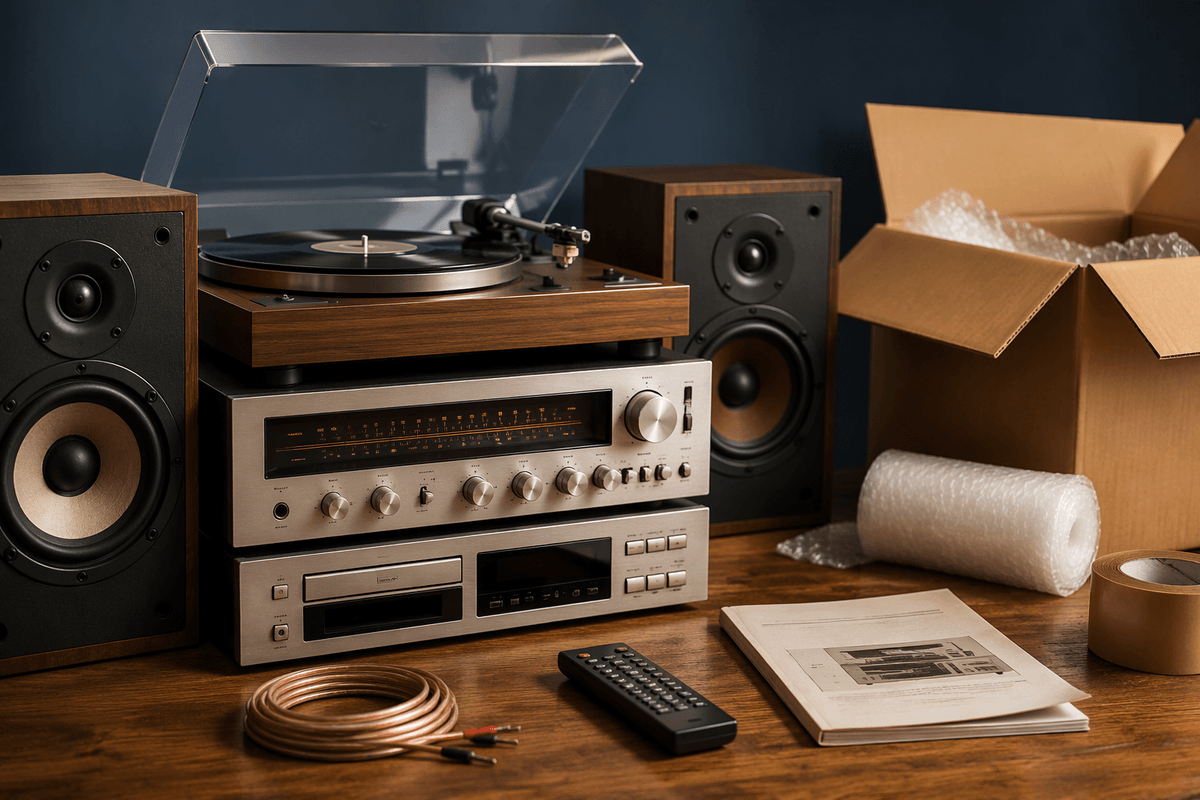
Begin with the model number rather than relying on appearance alone. Check the front panel, rear label, and any removable covers for the exact manufacturer and model designation. Record the serial number for your files, then note included items such as remote controls, antennas, dust covers, speaker cables, cartridges, manuals, or original packaging. Similar-looking versions can differ in power, features, and market value, so these details belong in the assessment before pricing begins.
Test each relevant function using equipment you know works. For a receiver or amplifier, check every input, output, channel, selector, volume control, balance control, tone control, headphone jack, and remote. Test speakers for clear sound, distortion, rattling, and damaged surrounds. A turntable should be checked for platter rotation, speed stability, cueing, tonearm movement, cartridge output, and hum. For a CD player, test loading, playback, track selection, display, and output connections. Allow equipment to run long enough to reveal intermittent faults, overheating, crackling, or dropouts. Record both successful tests and defects; “powers on” is not the same as fully functional.
Prepare Equipment for Photos and Sale
Before photographing the equipment, remove dust without disguising its condition. Use a soft, dry cloth on cabinet surfaces and a small brush around buttons, vents, and connectors. Avoid liquid near switches, openings, speaker cones, or turntable mechanisms. Do not polish away evidence of wear or replace original screws and labels merely to improve appearance. Buyers need to see the equipment as it will actually arrive.
Photograph the front, rear, sides, top, controls, model label, serial label, and any damage in clear, well-lit images. Include close-ups of scratches, dents, torn speaker surrounds, corrosion, missing feet, or repaired areas. Show accessories beside the main unit rather than implying they are included. For turntables, photograph the stylus and dust cover; for receivers and amplifiers, make the connection panel readable. Clean presentation helps, but accurate documentation matters more than polished staging.
Gather manuals, remotes, cables, adapters, cartridges, grilles, and original boxes before creating the listing. Keep the tested equipment and its accessories together, and note anything that is not included. This prevents accidental omissions and makes the final description easier to write.
Set a Price Based on Condition and Demand
Pricing used stereo equipment requires more than finding the highest asking price for the same model. Compare recently completed sales when possible, not just unsold listings, and match the exact version, included accessories, cosmetic condition, and tested functions. A clean, fully working unit with its remote, original cartridge, dust cover, or manual can justify more than a similar-looking example with missing parts or uncertain operation.
Adjust the price for defects rather than describing them as minor details. Intermittent controls, damaged speaker surrounds, hum, corrosion, a missing stylus, or a nonfunctional display may reduce value substantially because the buyer must accept repair costs and uncertainty. Equipment that only powers on should be priced as untested or for parts unless every relevant function has been verified.
Demand also varies by brand, model, season, and shipping practicality. Set a realistic asking price with some room for negotiation, but account for marketplace fees, packing materials, insurance, and shipping charges before deciding what you need to net. A slightly lower price may attract serious buyers faster than an optimistic listing that remains unsold for months.
Choose the Right Online Marketplace
The best marketplace depends on the equipment’s value, size, and likely buyer. Broad platforms can provide strong exposure for common receivers, amplifiers, CD players, and speakers, but they may also attract bargain hunters who need extensive explanation. Specialist audio marketplaces or enthusiast forums can reach more informed buyers, particularly for vintage models, rare components, and high-end equipment. Their audiences may understand condition and terminology better, although the number of potential buyers can be smaller.
Consider shipping before choosing a platform. Compact equipment is easier to sell nationwide, while large speakers, turntables, and heavy amplifiers may be better suited to local pickup or a marketplace with clear collection arrangements. Local sales reduce packing and transit risks, but they also require a safe meeting plan and may limit the price. For fragile or valuable items, a platform that supports calculated shipping, seller protection, and documented payment is generally preferable to informal arrangements.
Review the marketplace’s current fees, payment rules, return policies, and restrictions before posting. Calculate the net amount after commissions, payment charges, shipping, and insurance rather than comparing headline prices alone. Avoid listing the same item simultaneously on several platforms unless inventory is carefully managed; an accidental double sale can create unnecessary disputes. Choose the venue where the equipment’s condition, value, and shipping method can be explained most clearly.
Write a Listing That Prevents Disputes
A strong listing removes uncertainty before the buyer pays. State the exact model, included accessories, testing performed, and overall condition in plain language. Separate confirmed facts from assumptions: “all inputs tested and working” is useful, while “appears to work” signals limited testing. Mention cosmetic wear, repairs, missing parts, channel imbalance, hum, intermittent controls, or other faults even if they seem minor. For untested equipment, say so clearly and avoid language that implies full functionality.
Use the photographs to support the description, not replace it. Explain which marks are visible, identify any accessories shown that are not included, and specify whether the price covers one unit or a pair. For turntables and speakers, describe the cartridge, stylus, dust cover, grilles, and surrounds. For electronics, list the available inputs, outputs, remote control, and power requirements when relevant.
End with practical sale terms. State whether shipping or local pickup is available, how the equipment will be packed, and whether returns are accepted under the marketplace’s rules. Keep all important promises in the listing and marketplace messages so there is a clear record of what was offered.
Protect the Sale During Payment and Shipping
Keep payment and communication inside the marketplace whenever possible. Do not accept requests to move the transaction to private email, use gift cards, overpayment schemes, or release the equipment based on a payment screenshot. Confirm that funds are cleared in the platform account before handing over a local-pickup item or buying a shipping label. For collection, meet in a public place when practical and record the equipment’s model and serial number in your sales notes.
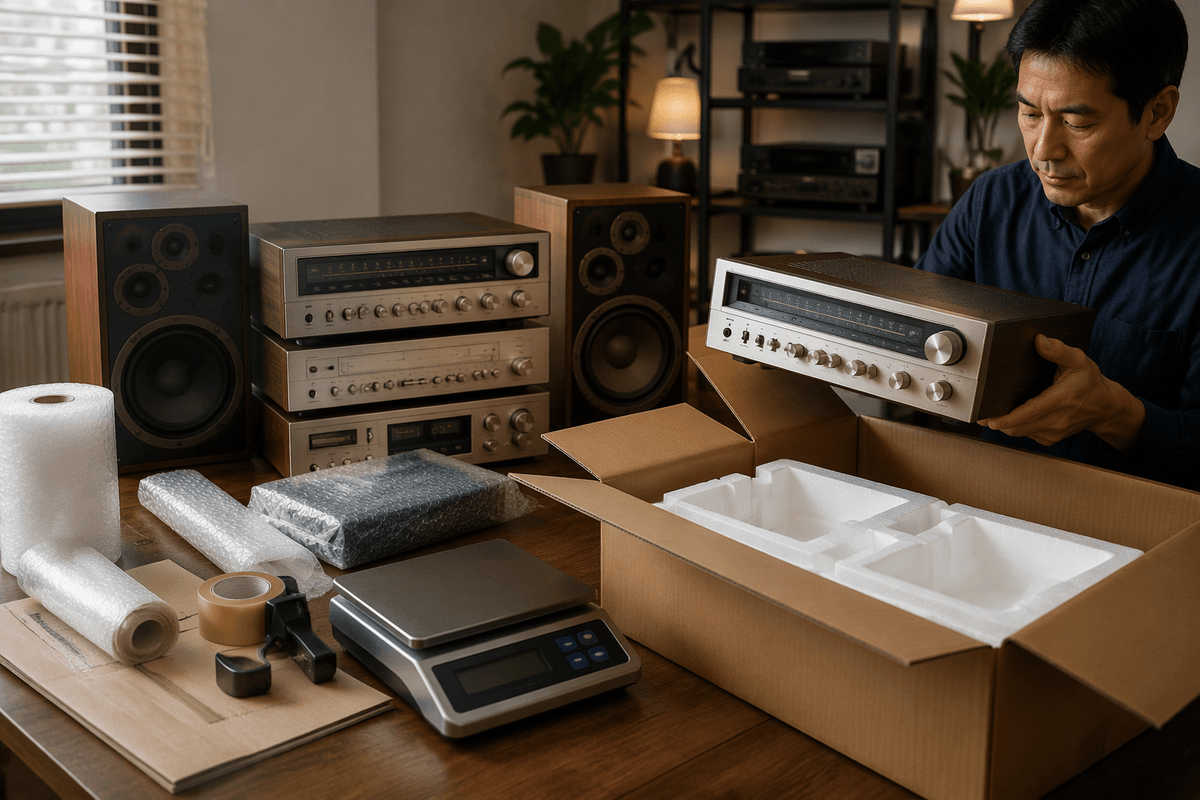
Pack stereo equipment for the handling it is likely to receive, not merely for its appearance on a shelf. Remove loose parts, secure turntable platters and tonearms, protect controls and connectors, and use cushioning that prevents movement inside a strong box. Speakers and heavy amplifiers need especially firm support because their weight can crush inadequate packaging. Photograph the packed item, shipping label, and final condition before sealing the box.
Use tracked shipping and consider insurance for valuable equipment. Retain receipts, tracking details, photographs, and marketplace messages until the transaction is fully closed. If damage or a dispute occurs, respond through the platform with this evidence rather than making unsupported promises or refunds outside its process.